Review Comments (90) Screenshots (32) Questions & Answers (50/44) Votes (23132) Awards (19) Wiki  
10.1.3.23
www.adobe.com
Freeware
2 053 822 people
Download Adobe Reader

766.39 KBDownloaded 628389 times

This software was checked for viruses and was found to contain no viruses.
Click here to see antivirus report.
 
Video tutorial for Adobe Reader 9.3
Frame
This video tutorial has been acquired from Downloadtube.com

Review

This is official description

Adobe Reader X (or version 10) is the latest in the series of the most popular PDF reader. It cannot edit PDF files.
Reader X have some bugs in it. It becomes difficult to open multiple PDF files together. Sometimes, the browser plugin doesn't work properly.
 
The following review written by one of the Software Informer contributors applies to version 9.3

Adobe Systems created the popular Portable Document Format back in 1993 for the sole purpose of allowing for document exchange without running the risk of losing the original layout of the document. Adobe Reader is the official reading tool developed to view, print and manage PDFs.

Today, most online forms sent to us for completion come as PDFs. Adobe Reader will allow you to fill in those forms, as well as print them out, provided the security settings assigned to the document allow for it. In earlier versions, you did not have the option of creating a PDF file using Adobe Reader – you need to purchase Acrobat for that. With this latest version, you have a menu option that takes you directly to Acrobat.com, a web-based service that allows you to create up to five PDF files free of charge.

With Adobe Reader, you can easily add your own input into a PDF document by adding annotations with the help of the comment and mark-up tools bundled with it. Besides, you can also approve or reject a PDF file whenever you are asked to, and ensure the security of the document by signing or certifying it with a Digital ID. This will add extra security and validity to it when transferred through the Internet.

Regarding the Accessibility options, Adobe Reader allows you to use either a screen magnifier or a screen reader to access the content of the document, provided it has been correctly tagged.
  • Supports to fill in forms online.
  • Available for multiple platforms.
  • Supports digital ID.
  • None.

Reviewer rating:

Reviewed: Last year

Report a wrong version Report a wrong program title Suggest a correction

Screenshots

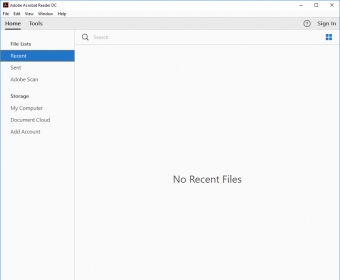
Main window Main window One Page View One Page View Page Fill View Page Fill View Properties of the document Properties of the document
All 32 screenshots

Latest comments

Guest #23837805(beginner) Last month 
This is the best software to read books of any type.
Reply
deeprana94(beginner) Last month 
Pros: Liked it that I have found it..
Cons: Don't know..
Comment: You can download Adobe Reader Offline (Standalone) Installer here:
ftp://ftp.adobe.com/pub/adobe/reader/win/10.x/10.1.2/en_US/AdbeRdr1012_en_US.exe
Reply
gbrl2011(erudite) 5 months ago 
Pros: 9.0 version very good.
Cons: 10.1 version not good.
Comment: I preferred the 9.0 version... this 10.1 version is slower and not useful...
Reply
Add new comment All 90 comments

E-mail Address:

Password:

Register now »

Forgot password?

Sign in with:
Facebook Account
.pdf Adobe Acrobat Document
.pdx Acrobat Catalog Index
.rmf
.xdp Adobe Acrobat XML Data Package File
.xfd Adobe Form Client Data File
Download Software Informer Client
Copyright © 2012, Informer Technologies, Inc. About| Terms & Privacy| FAQ| Feedback & Support| For Developers